Back to Blog
x
Framer vs WordPress: Which Website Platform Is Right for Your Business?


Irem Geldry
Framer Expert
Framer and WordPress are two of the most talked-about platforms when it comes to building a professional website. But they couldn't be more different. In this post, I'm going to break down exactly how they compare across every major category, so you can confidently choose the one that fits your goals — and stop second-guessing yourself.
What is Framer?
Framer started out as a prototyping tool back in 2015, mostly used by product designers to test how interfaces would feel before building them. Fast forward to 2022 and Framer completely reinvented itself as a full-blown website builder — one that lets you design and publish a professional, interactive website without writing a single line of code.
Today, Framer is the go-to platform for designers, developers, and modern agencies who want pixel-perfect control over how their website looks, feels, and performs. It's fast, beautiful, and built for the way the web works in 2025.
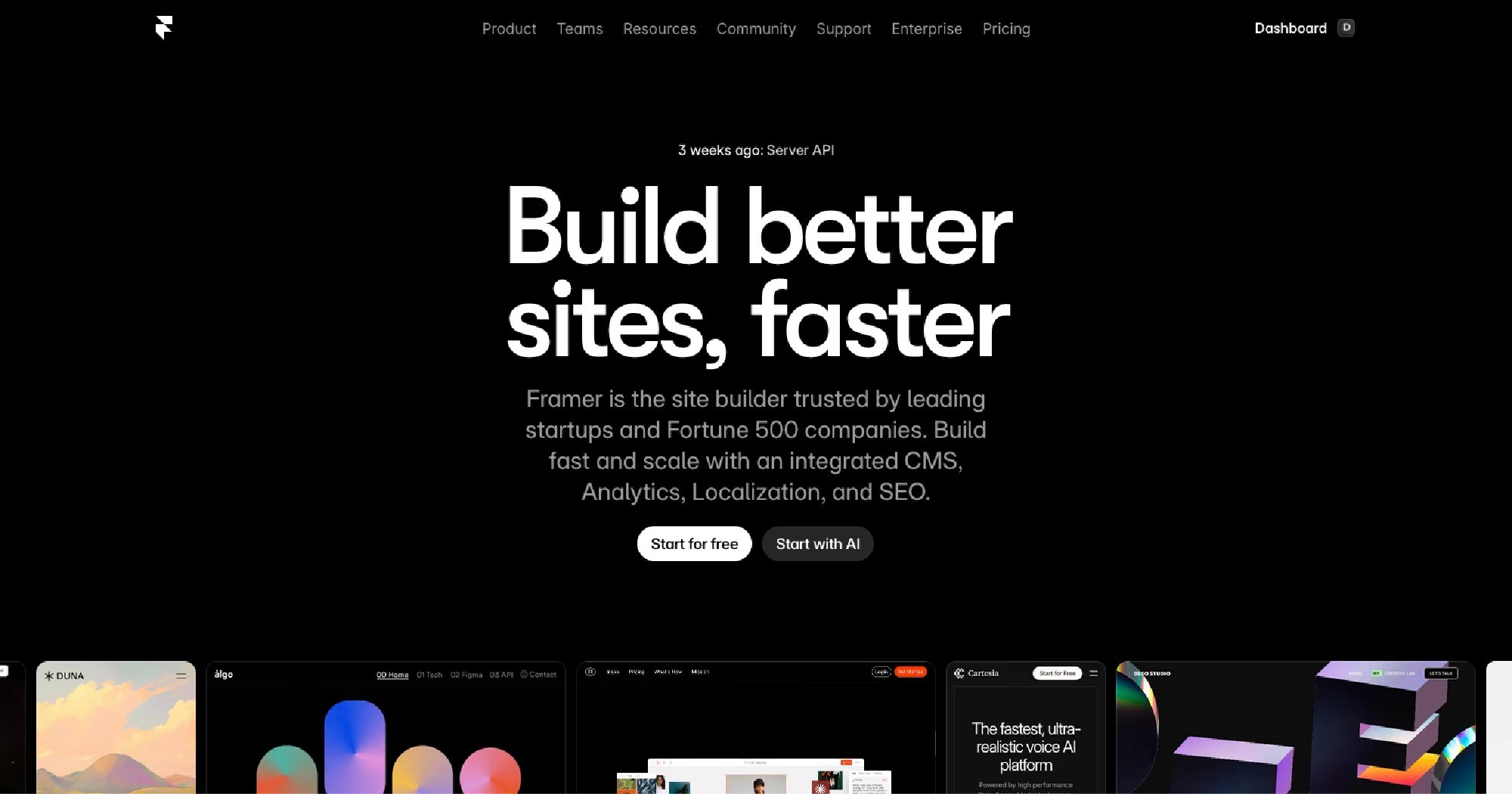
How to get started with Framer:
Head to framer.com, click Sign Up, create your account, and you're dropped straight into the canvas. No complicated onboarding, no dashboard clutter — just you and your website.
What is Wordpress?
WordPress has been around since 2003 and powers roughly 43% of all websites on the internet. Originally built as a blogging platform, it has evolved into one of the most flexible content management systems (CMS) on the planet.
WordPress is open-source, meaning it's free to download, but you'll need to handle your own hosting, security, updates, and typically install a page builder like Elementor or Divi to get the visual design experience most people expect. There's a reason it's everywhere — but there's also a reason so many people are leaving it.
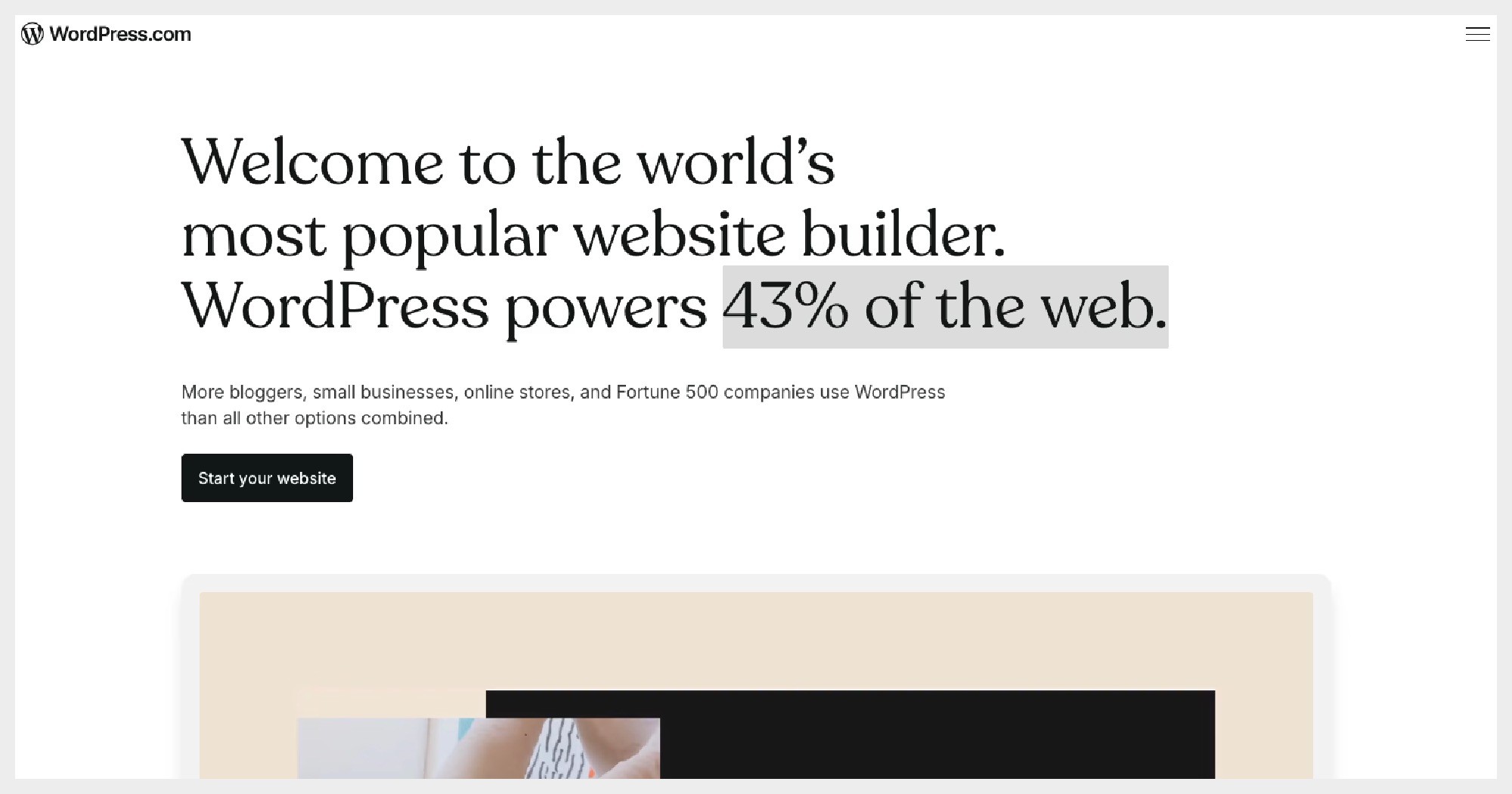
How to get started with WordPress:
Head to wordpress.org, download the software, purchase hosting from a provider like Hostinger or WP Engine, install WordPress, and then begin setting up your theme and plugins. Simple in theory, more involved in practice.
Ease of Use
Let's be real — nobody wants to spend weeks figuring out their website builder before they can actually build anything.
Framer's Ease of Use
Framer's interface is clean, modern, and canvas-based. If you've ever used Figma, you'll feel right at home. You drag, drop, resize, and style everything visually — with no widgets, plugins, or confusing settings panels to wade through.
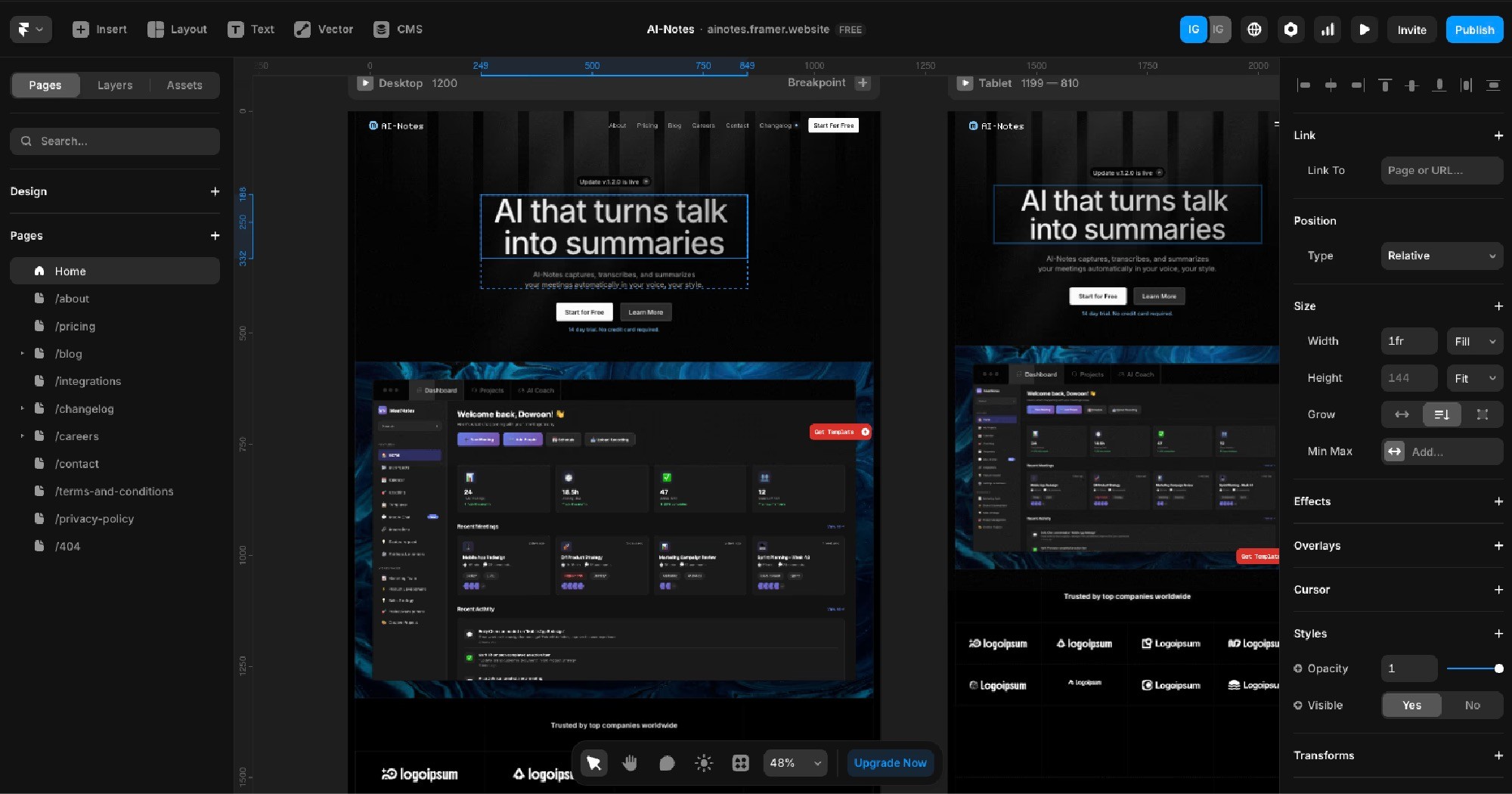
There is a learning curve, especially around layout concepts like stacks and breakpoints. But once you get it, Framer is genuinely one of the most intuitive design tools on the market.
You can go from a blank canvas to a published, polished website faster than almost any other platform.
WordPress's Ease of Use
WordPress's core dashboard is straightforward for content publishing, but building a well-designed website usually requires a page builder plugin on top of that.

Managing updates across WordPress, your theme, and your plugins adds another layer of ongoing complexity most people don't anticipate when they're starting out.
The sheer number of options can feel overwhelming, especially for non-technical users who just want a beautiful website without a technical degree.
Verdict
Framer wins here. It's faster to start, faster to build, and far less technical overhead — especially for designers and small business owners.
Templates & Design Quality
Framer Templates
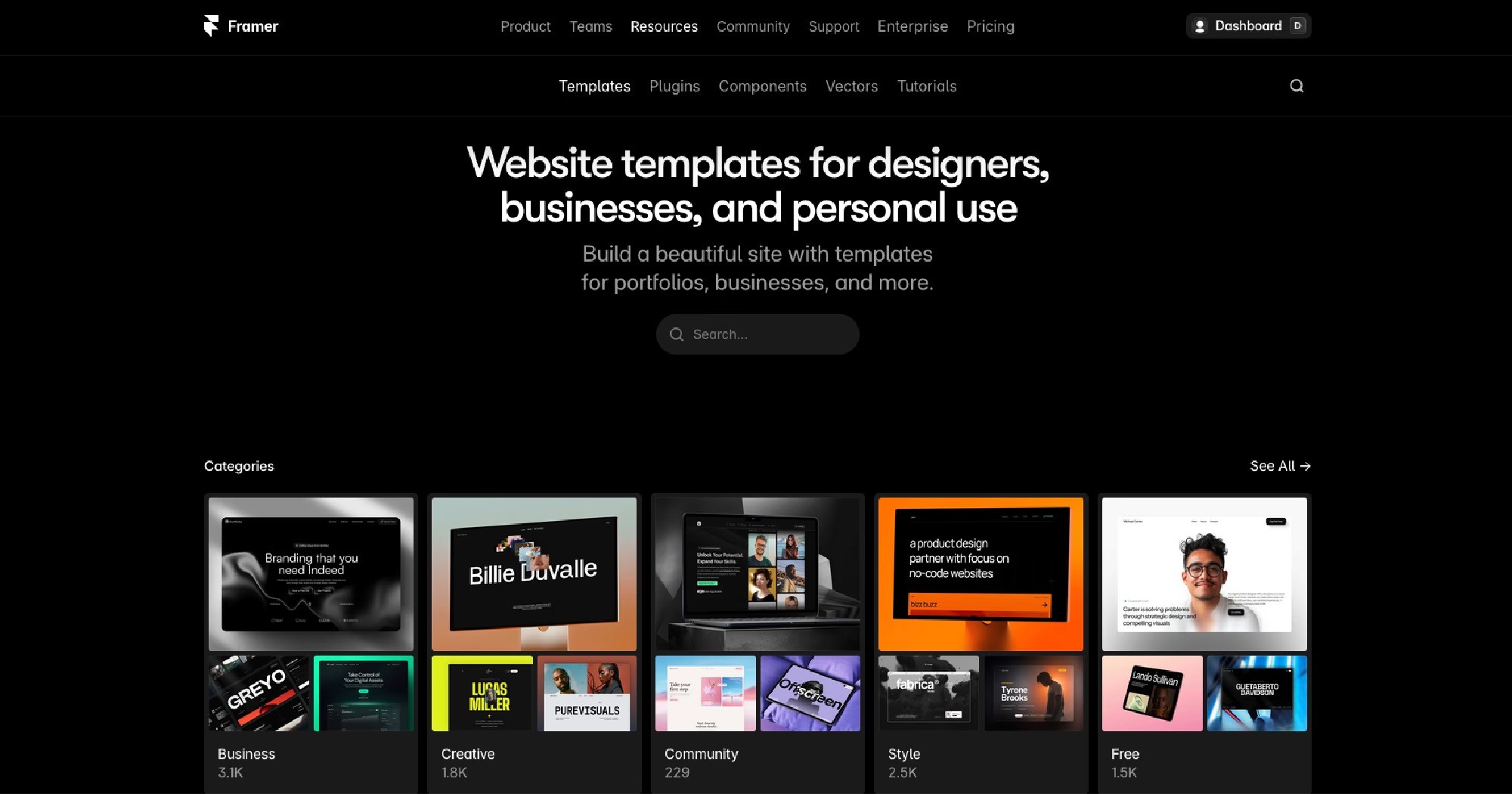
Framer's template marketplace offers over 1,000 templates built by designers and creators from around the world. They're modern, conversion-focused, and cover a wide range of niches from agencies and portfolios to SaaS products and personal brands. The design quality is genuinely top-tier.
WordPress Templates
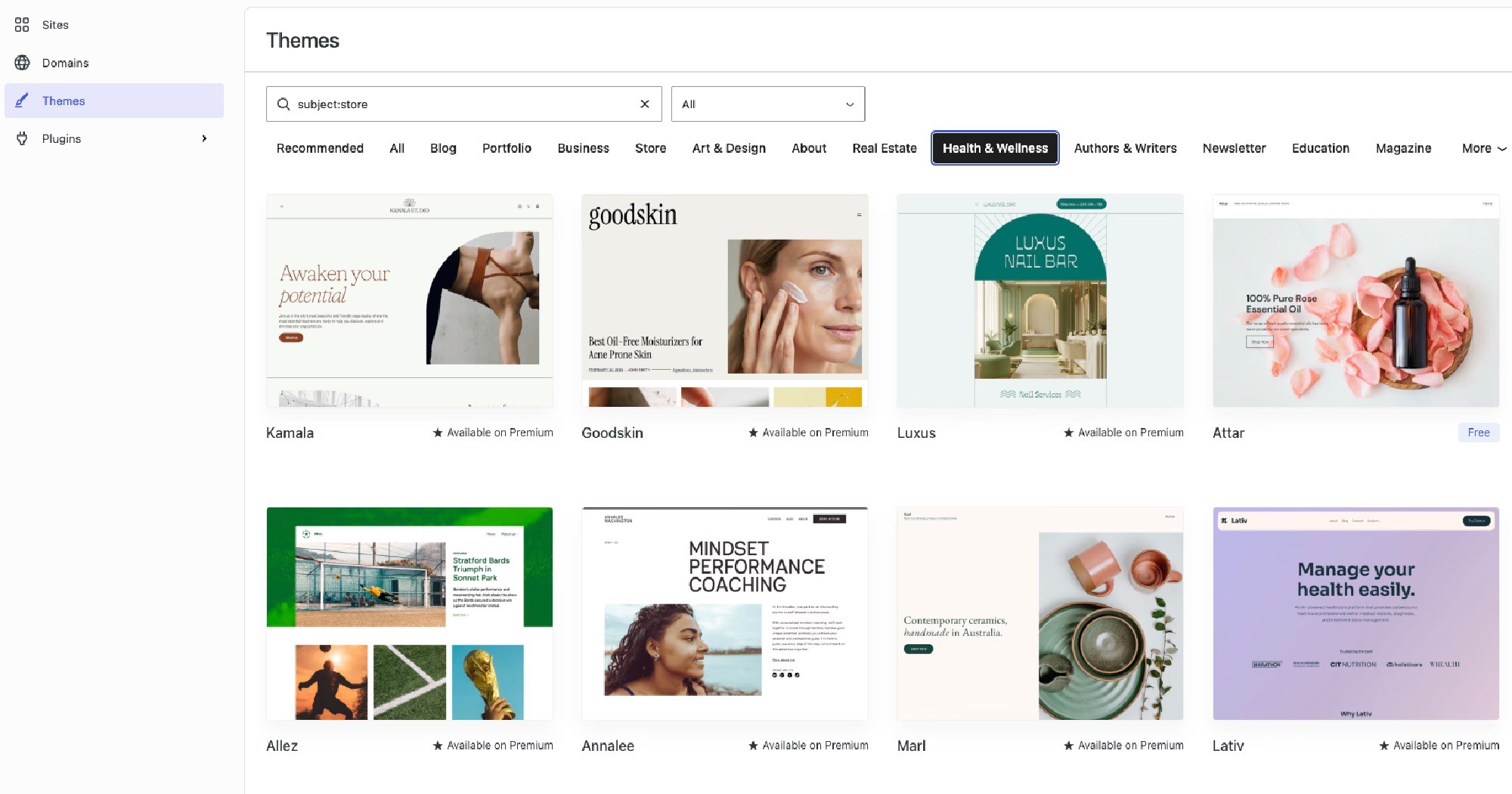
WordPress has tens of thousands of themes available through its marketplace and third-party sources. The sheer quantity is impressive, but quality can be wildly inconsistent. Many popular themes are years old, and without a premium page builder, customization can be limited. You often end up needing to purchase multiple plugins and add-ons to get a result that rivals what Framer gives you out of the box.
Verdict
Framer wins. Better design quality, more consistent results, and no dependency on third-party plugins to make your site look the way you envisioned.
Responsive Design
Framer's Responsive Design
Framer uses a Breakpoints system that gives you complete control over how your website looks on desktop, tablet, and mobile. You design each breakpoint intentionally — which means no unexpected layout shifts or elements stacking awkwardly on mobile because an algorithm guessed wrong.

Yes, it requires a bit more hands-on work compared to fully automated approaches. But the result is a site that looks genuinely crafted on every screen size, not just acceptable.
WordPress's Responsive Design
Most modern WordPress themes are advertised as responsive, and in general they do a decent job of adapting to mobile. However, the quality of that responsiveness depends heavily on which theme and page builder you're using.
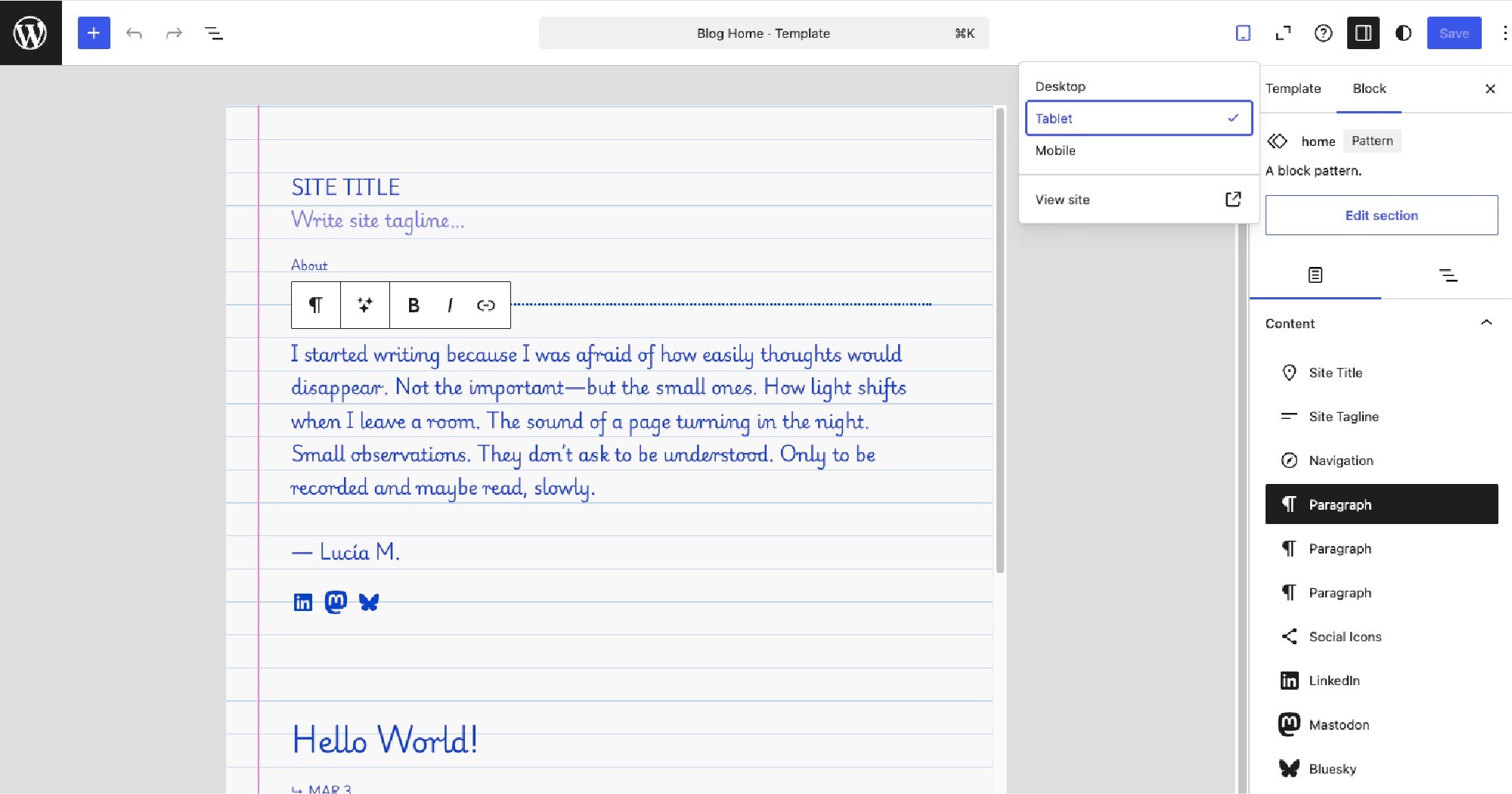
It's not uncommon to find spacing issues, font scaling problems, or elements that just don't quite work on certain screen sizes — and tracking down which plugin is causing the issue can take hours.
Verdict
Framer wins. Full manual control over every breakpoint means your mobile experience is intentional, not accidental.
Animations & Effects
Framer's Animations
Animations are where Framer genuinely shines. You can apply scroll-triggered animations, hover effects, page transitions, and micro-interactions to virtually any element on your page — all with a visual interface and zero code. You have control over timing, easing, delays, and sequencing. The results can look incredibly polished.
This is one of the biggest reasons design-forward businesses and agencies are moving to Framer. A website that moves and breathes with personality is a competitive advantage in 2026.
WordPress's Animations
WordPress does support animations, but it requires plugins to do it well. Some page builders like Elementor or Divi have basic animation tools built in, but for anything beyond simple fade-ins or slide-ups, you'll need additional third-party plugins — which adds to site bloat and load times.
Verdict
Framer wins by a wide margin. Native, no-code animations that look exceptional without slowing your site down.
CMS & Content Management
Framer's CMS
Framer has a clean, built-in CMS that lets you create content collections — think blog posts, portfolio pieces, case studies, team members, and more. It's flexible enough for most websites and integrates seamlessly with your design. You manage everything from one place, which keeps the workflow simple.
WordPress's CMS
This is where WordPress genuinely earns its reputation. The WordPress CMS is incredibly powerful — especially for content-heavy websites, membership platforms, or complex multi-author publications. With plugins like WooCommerce, Advanced Custom Fields, and Yoast, you can build almost anything. If your primary business is content publishing at scale, WordPress's CMS depth is hard to beat.
Verdict
Tie. Framer's CMS covers 90% of use cases with a much cleaner experience. WordPress wins for complex, content-heavy websites that need advanced publishing workflows.
Plugins & Integrations
Framer's Integrations
Framer supports integrations with tools like Google Analytics, Mailchimp, ConvertKit, Typeform, and more. For client management, I personally use and recommend Kitchen.co — it keeps proposals, contracts, invoices, and client communication in one place, which looks incredibly professional to clients.
WordPress's Integrations
The WordPress plugin ecosystem is massive — over 60,000 plugins are available. Almost anything you need exists as a plugin. But that abundance comes with a cost: plugin conflicts, security vulnerabilities, and performance hits are common pain points that WordPress site owners know all too well.
Verdict
WordPress wins on sheer volume. Framer wins on simplicity and reliability. For most businesses, Framer's integrations cover everything you actually need.
Speed & Performance
Framer's Performance
Framer automatically generates optimized, clean code in the background. Images are compressed and lazy-loaded by default. Sites are hosted on Framer's global infrastructure. You don't need to install a caching plugin, optimize your database, or choose between 12 different performance settings. Fast is just the default.
WordPress's Performance
WordPress can be fast — but it won't be fast out of the box. You'll typically need caching plugins, a CDN, image optimization plugins, and proper hosting to achieve comparable performance. Get any of those wrong, and your page speed suffers. Google's Core Web Vitals become a puzzle to solve rather than a standard you just meet.
Verdict
Framer wins. Performance is built-in, not bolted on.
Security
Framer's Security
Because Framer is a hosted, closed platform, security is handled entirely on their end. There's no server to maintain, no database to patch, and no plugins creating vulnerabilities. For the vast majority of business websites, this level of managed security is more than sufficient.
WordPress's Security
WordPress is the most hacked CMS on the internet — not because it's inherently insecure, but because its popularity makes it a huge target. Keeping a WordPress site secure requires regular updates to core, themes, and plugins, a security plugin, and a solid hosting provider. Most small businesses either over-invest in this or ignore it until something breaks.
Verdict
Framer wins. Not having to think about security is genuinely one of its biggest advantages for business owners.
Framer Pricing vs Wordpress Pricing
Framer Pricing
Framer offers a free plan with a Framer subdomain, and paid plans starting at $5/month for a custom domain. The Basic plan at $15/month and Pro plan at $25/month cover most professional needs. Hosting is included in every plan — no hidden extras.

WordPress Pricing
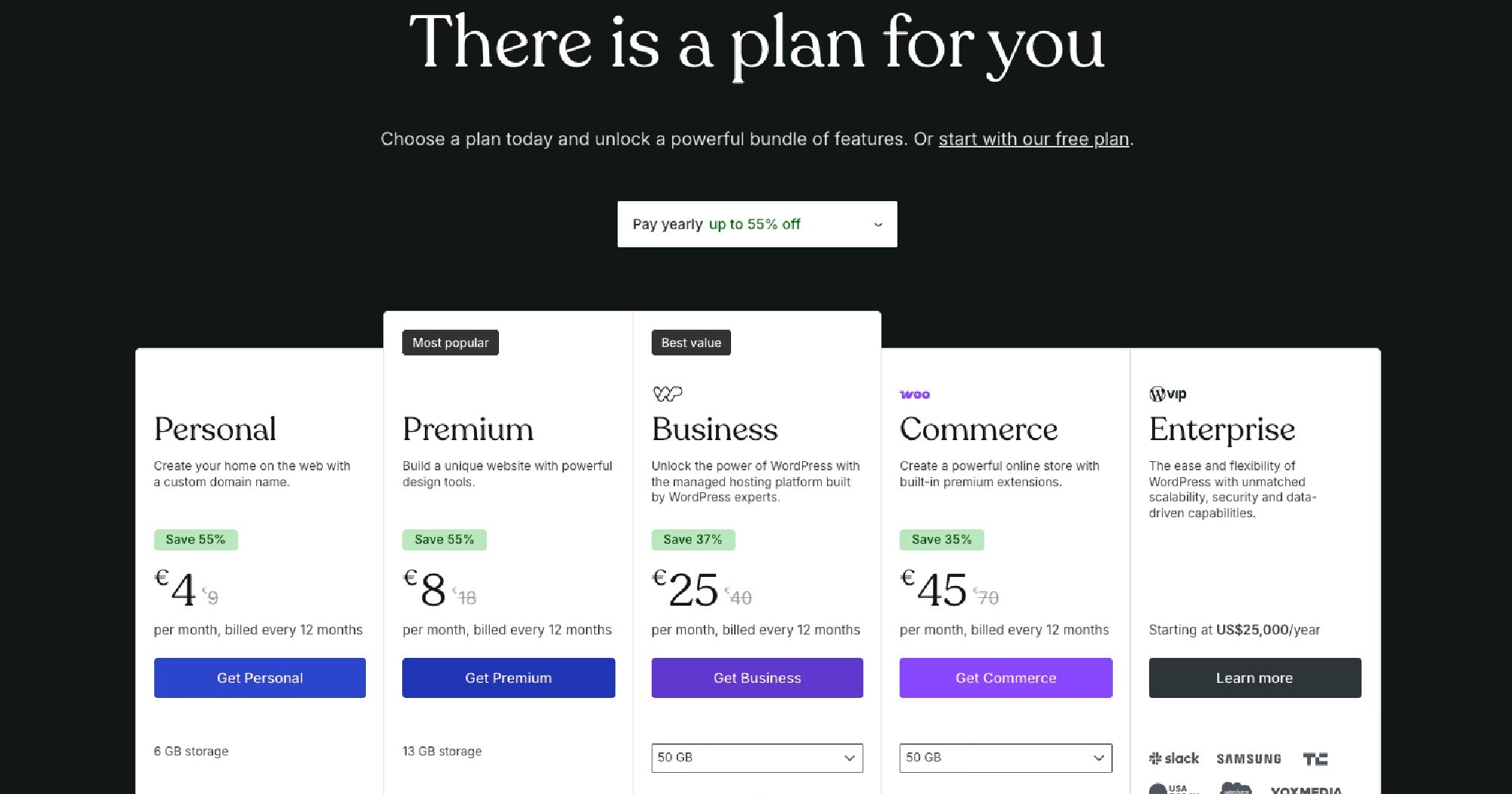
WordPress itself is free, but the true cost adds up quickly. Quality hosting typically runs $15–$50/month. A premium theme can cost $60–$200. Premium plugins for SEO, forms, backups, and security add another $100–$300/year. By the time you've built a properly equipped WordPress site, you're often spending more than Framer — with more maintenance to manage.
Verdict:
Framer wins on total cost of ownership. The sticker price is similar, but the hidden costs of WordPress (plugins, themes, maintenance) make Framer the more cost-effective choice for most businesses.
FAQs
Can I run a blog on Framer?
Yes. Framer's built-in CMS handles blogging well for most use cases. You can create a fully designed, dynamic blog without any external tools.
Is WordPress being replaced by Framer?
Not entirely — WordPress still powers a huge portion of the internet and excels at complex content-driven use cases. But for design-forward businesses and agencies, Framer is increasingly the preferred choice because of its speed, visual quality, and simplicity.
Do I need a developer to use Framer?
No. Framer is built to be used visually. However, if you want advanced customization or a fully custom build, working with a Framer developer will get you the best results.
Final verdict: Should I Use Framer or WordPress?
Here's the honest answer: the right platform depends entirely on what you need from your website.
Choose Framer if:
You want a beautiful, fast, low-maintenance website that looks modern and reflects your brand with precision. Framer is ideal for designers, agencies, freelancers, coaches, consultants, and any business where your website is a primary sales tool.
Choose WordPress if:
You need a complex, content-heavy site with advanced publishing workflows, deep ecommerce functionality, or very specific plugin requirements that Framer simply can't match.
For the business owners I work with, Framer is the clear winner — and the gap is growing every year as Framer continues to evolve.
If you're ready to move forward with Framer, get in touch and let's talk about what your project needs. Or if you're exploring templates, check out my easy-to-customize Framer templates.
Build your website with Framer - no code needed.
No credit card required. Design, publish, and go live on your own domain. Upgrade when you're ready.

